
Pak Play login is the first step to using the Pak Play game app. Once you sign in, you can open 500+ games, collect daily rewards, check your wallet, and start your missions. This page shows you how to create a new account, complete your Pak Play login, and fix the most common sign-in problems.
Have you not installed the app yet? Start with our PakPlay game APK download guide.
What You Need Before Pak Play Login?
- An Android phone with the Pak Play app installed
- An active mobile number
- A stable Wi-Fi or mobile data connection
- A password you can remember
- Age 18 or above
How to Do Pak Play Login on Android?
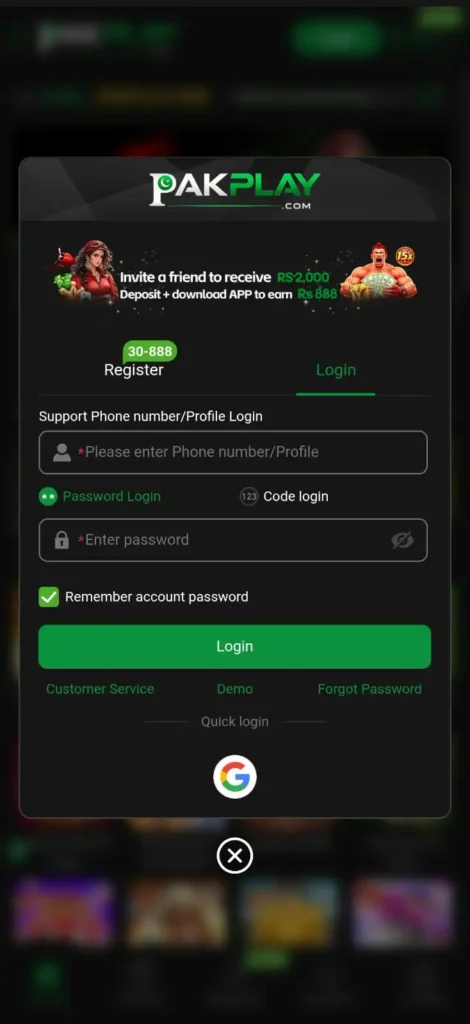
Pak Play Login Steps
- Open the Pak Play app from your home screen or from https://pakplaygames.pk/.
- Tap Login.
- Enter your registered mobile number.
- Type your password carefully.
- Tap Login again.
- Wait a few seconds for your account page to load.
If the app asks for a verification code, enter it exactly as you received it.
How to Register a New Pak Play Account?
New to the app? Creating an account takes less than a minute.
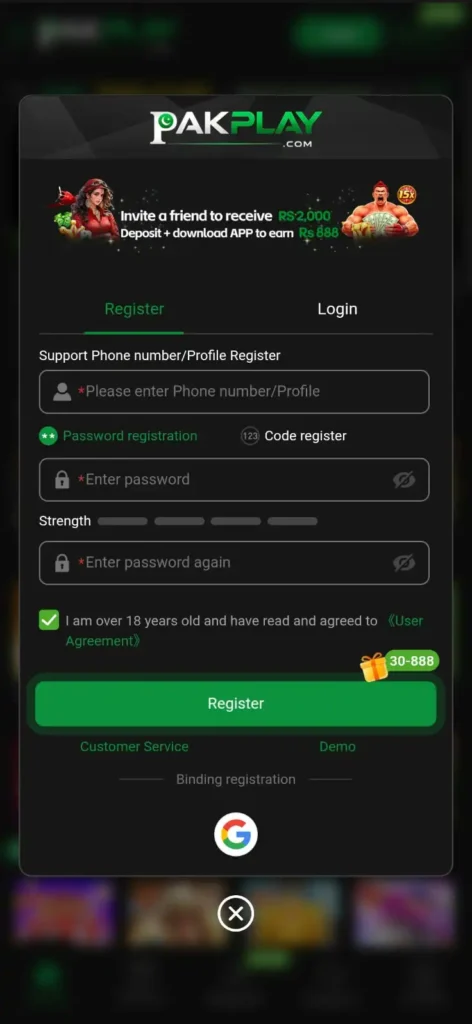
Pak Play Register Steps
- Open the app and tap Register.
- Enter your mobile number.
- Create a strong password with letters and numbers.
- If the app shows a referral code box and you have a code, enter it here.
- Enter the verification code sent to your phone.
- Submit the form and check your account for the new member bonus.
Learn more about rewards in our Pak Play bonus guide.
Pak Play Login Problems and Fixes
| Problem | Likely Reason | Quick Fix |
| Wrong password message | Typing mistake or caps lock | Re-type slowly and check caps lock |
| Code not received | Weak signal | Check your network and request the code again |
| Account not found | Wrong mobile number | Check the number and format |
| App not loading | Slow internet or old version | Switch network or install the latest version |
| Login button not working | App glitch | Restart your phone or reinstall from a trusted source |
Forgot Your Pak Play Login Password?
If the app shows a Forgot Password option, tap it and follow the steps. If you do not see it, contact Pak Play customer support with your registered number. Never give your password to anyone who asks for it.
Tips for a Safe Pak Play Login
- Use a strong password that you do not use on other apps.
- Never share your OTP or password, even with someone claiming to be support.
- Log in only through the app you installed from a trusted source.
- Log out if you use someone else’s phone.
- Avoid public Wi-Fi when you are handling money.
Pak Play Login FAQs
Pak Play Login: Sign In & Register Guide (2026)

Pak Play login made easy. Learn how to register, sign in, reset your password and fix login errors on the Pak Play game app for Android.
Price: Free
Price Currency: PKR
Operating System: Android 5.0+
Application Category: Game
4.9